

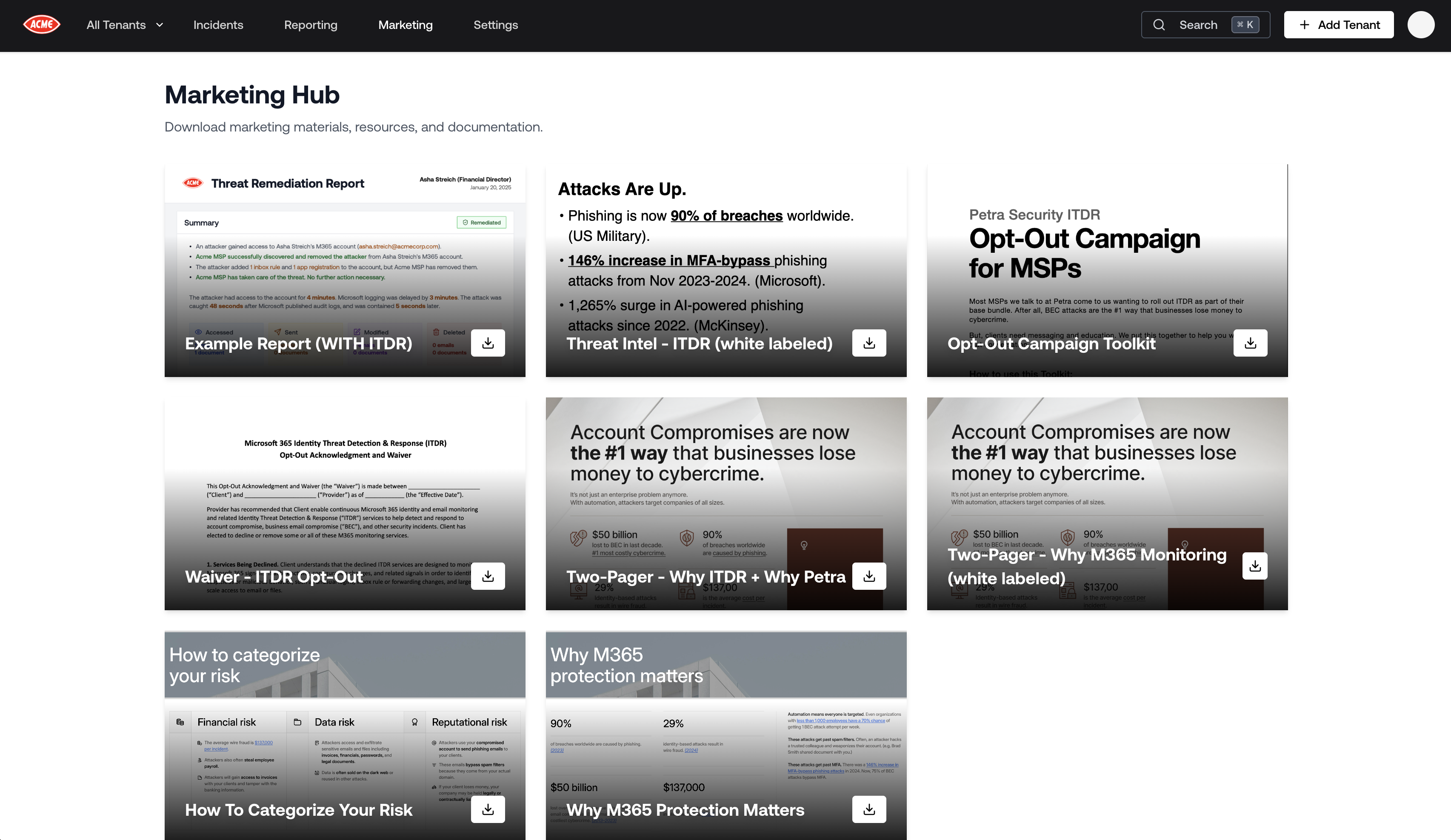
Reports
These are sample PDF reports you can share with prospects and clients before running a live investigation. They make abstract security concepts concrete by showing real output.Example Report (WITH ITDR)
A sample security report showing what Petra’s monitoring looks like when ITDR (Identity Threat Detection and Response) is enabled. Use this to demonstrate the full depth of Petra’s detection capabilities to a prospect who wants to see what they’d receive each month.Example Prospecting Report
A sample Prospecting Report — the white-labeled PDF Petra generates after running an Autopsy on a tenant. Use this to show prospects what they can expect when you run a free Autopsy on their environment. It’s the most effective way to set expectations before the real Autopsy results come in.The live version of this report is generated automatically by Petra after completing an Autopsy investigation. The Example Prospecting Report in the Marketing Hub is a pre-filled sample for sharing with prospects before you have their real data.
Presentations
These are slide decks designed for prospect and client-facing meetings. They are formatted for delivery in pitches, QBRs, and sales calls.Threat Intel - ITDR (white labeled)
A white-label ready threat intelligence presentation covering ITDR capabilities, real-world attacker techniques, and why identity is the primary attack surface in Microsoft 365 environments. Use this to educate a prospect on the threat landscape and position ITDR as a necessary layer of security.How To Categorize Your Risk
A slide deck that walks through how organizations should think about and categorize their M365 security risk. Useful for clients who are unsure whether they have a meaningful exposure — this helps them self-identify as a prospect.Why M365 Protection Matters
A presentation explaining why dedicated Microsoft 365 security protection is critical, even for organizations already using Microsoft’s built-in security features. Use this to overcome the common objection that Microsoft Defender is “good enough.”Documentation
These are one-pagers and short-form documents ideal for leaving behind after a meeting, attaching to emails, or sharing in prospect follow-ups.Two-Pager - Why ITDR + Why Petra
A two-page document explaining what ITDR is, why it matters, and why Petra is the right partner to deliver it. Use this as a leave-behind after an initial discovery call or to send to a prospect who wants something to share internally with their leadership.Two-Pager - Why M365 Monitoring (white labeled)
The same two-pager as above, but white-labeled without Petra branding — present it as your own content when you want to introduce the concept of M365 monitoring before formally introducing Petra as the vendor.Autopsy One-Pager
A concise overview of how Petra Autopsy works: the 6-month forensic investigation, what gets analyzed, and what the output looks like. Use this to explain the free Autopsy to a skeptical prospect who wants to understand what they’re agreeing to before giving you access to their tenant. Learn more about Petra Autopsy →Forensic Analysis One-Pager
A one-page summary of Petra’s forensic analysis capabilities and threat detection methodology. Use this to demonstrate technical depth to prospects who want to understand how Petra actually finds attackers.Opt-Out Campaign Toolkit
Documentation and templates for running a Petra opt-out campaign with your clients. Covers how to communicate the rollout, what to say to end users, and how to handle objections. Use this when onboarding a new client to make the deployment process smooth.Waiver - ITDR Opt-Out
The formal opt-out waiver for ITDR services. If a client or their end users choose to opt out of ITDR monitoring, this document captures their acknowledgment of the associated risks.How to Use These Materials
For prospecting
- Run a free Petra Autopsy on a prospect’s Microsoft 365 tenant.
- While waiting for the Autopsy to complete, share the Example Prospecting Report and the Autopsy One-Pager so the prospect knows what’s coming.
- When the live Autopsy is complete, present the real Prospecting Report in a meeting. Use the Why M365 Protection Matters or Threat Intel - ITDR deck to set the context before revealing the findings.
For existing clients
- Use the Tenant Report and monthly automated reports to demonstrate ongoing value. See Tenant Reports.
- Bring the How To Categorize Your Risk deck to QBRs to open a conversation about coverage gaps.
- Use the Two-Pager - Why ITDR + Why Petra to upsell clients who are not yet on ITDR.
- Share the Forensic Analysis One-Pager with technically sophisticated clients or internal IT teams who want to understand the detection methodology.