

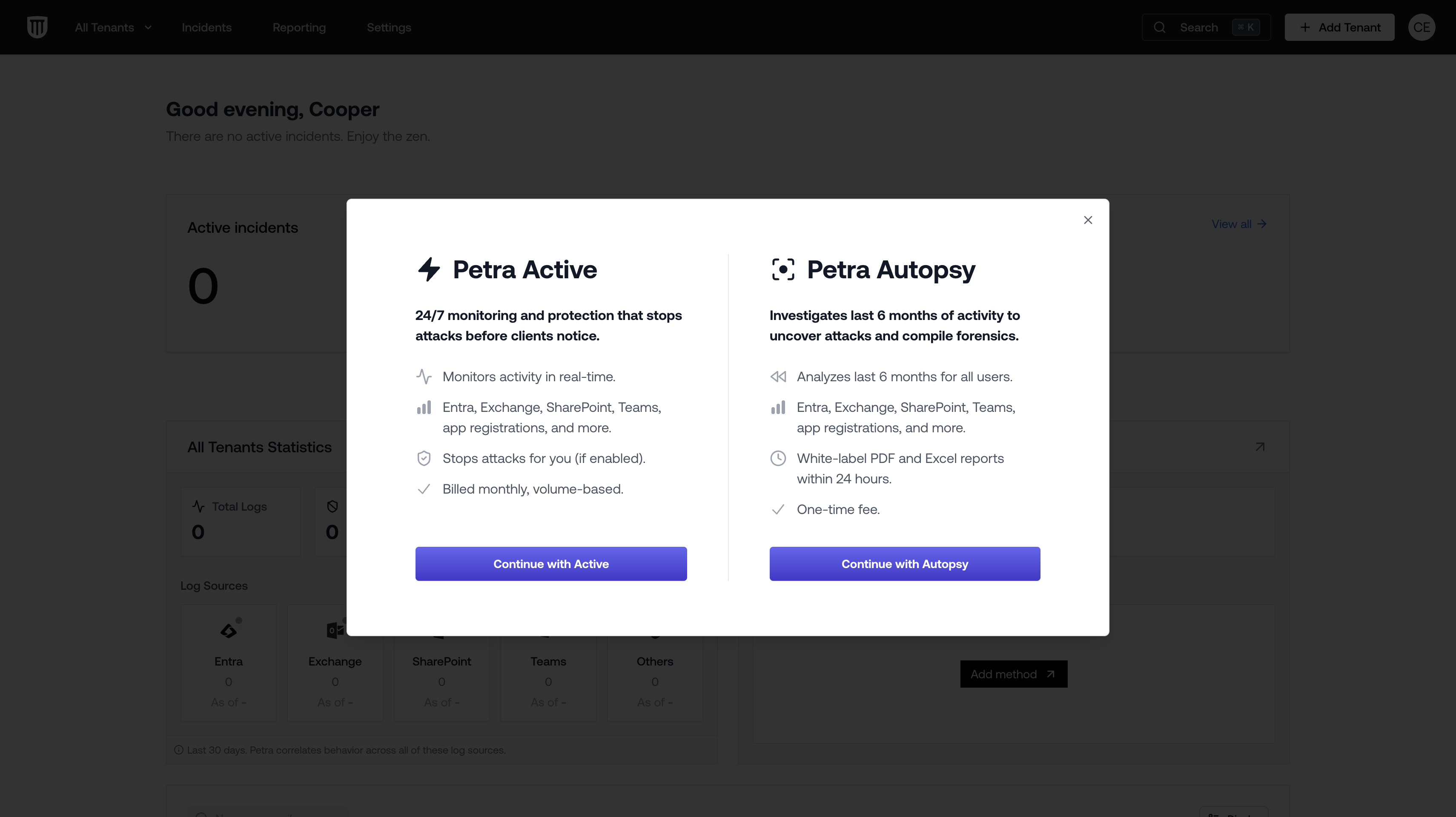
Petra Active
24/7 monitoring and protection that stops attacks before clients notice. Petra Active is continuous, real-time monitoring of a Microsoft 365 tenant. It detects and responds to attacks as they happen, making it the right choice for ongoing protection of your clients.What it does
- Monitors activity in real time across Entra, Exchange, SharePoint, Teams, app registrations, and more.
- Detects compromises as they happen using behavioral analysis.
- Stops attacks automatically if Petra Response is enabled (locks compromised accounts, revokes sessions, removes inbox rules).
- Baselines the tenant over the first ~5 days to establish normal behavior, then transitions to live monitoring.
When to use it
- For any client tenant you want protected on an ongoing basis.
- When a client has signed up for Petra ITDR and you want continuous coverage.
- As the next step after an Autopsy — once the investigation is complete, Autopsy tenants automatically transition to Active monitoring.
Billing
Billed monthly on a per-user, volume-based pricing model. See Billable Users for what counts.Progress stages
- Audit Logs Collected
- Baselining Complete
- Monitoring
Petra Autopsy
Investigates the last 6 months of activity to uncover attacks and compile forensics. A Petra Autopsy is a retrospective forensic investigation of a Microsoft 365 tenant. It analyzes 6 months of historical logs to find past compromises, currently lurking attackers, and gaps in existing security, then packages the results into a white-labeled Prospecting Report designed for client meetings.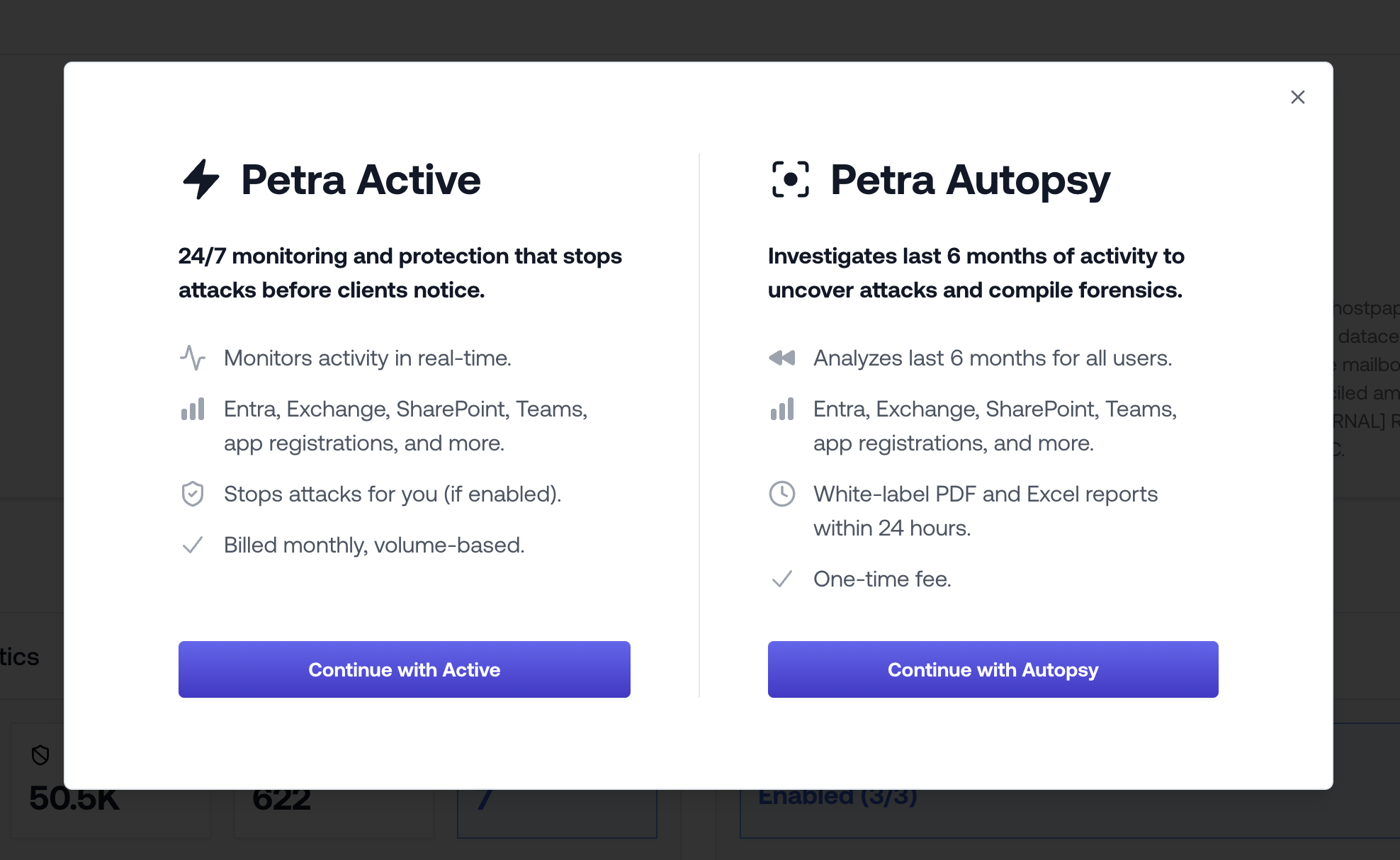
What it does
- Analyzes the last 6 months of activity for all users across Entra, Exchange, SharePoint, OneDrive, and Teams.
- Surfaces previously remediated compromises with deeper forensic analysis.
- Finds active attackers still in the account (latent compromises).
- Identifies persistence mechanisms (malicious inbox rules, app consents).
- Delivers a white-labeled PDF and Excel report within 24 hours.
- After the investigation completes, the tenant automatically transitions to Active monitoring.
When to use it
- Prospecting and sales: Run an Autopsy on a prospect’s tenant to demonstrate real security gaps. The Prospecting Report is purpose-built for client meetings and closing deals.
- Incident response: When a client has been compromised (e.g., a BEC) and you need full forensics on what happened.
- Health checks: When onboarding a new client and you want to investigate what may have happened before you took over.
What you get
When the Autopsy is complete, you receive:- A “Petra Autopsy Complete” email summarizing findings (prior compromises, active attackers).
- A white-labeled Prospecting Report PDF with full forensics, incident details, blast radius analysis, and a “What Should Have Happened” timeline. See Prospecting Report for details on what the report includes.
- Per-incident Threat Remediation Reports for each discovered incident.
- Access to all findings in the Petra dashboard.
Billing
Available on request. New MSPs receive a free Autopsy with their Petra trial. If the Autopsy finds no compromises, you receive another free slot.Progress stages
- Audit Logs Collected
- Baselining Complete
- Running Autopsy
- Autopsy Complete
- Monitoring (automatic transition)
Petra Scan
Quick security assessment with the option to request full forensics. Petra Scan is a lighter, faster version of the full Autopsy. It performs a rapid initial assessment to identify compromised accounts and key indicators, then lets you request full forensics for any specific incident that warrants deeper investigation.What it does
- Performs a quick security assessment of the tenant.
- Identifies compromised accounts and key indicators of compromise.
- Lets you request full forensics on any individual incident directly from the incident page — this spawns a deep-dive investigation for that specific incident with full forensic detail.
- Does not automatically transition to Active monitoring after completion.
When to use it
- When you want a fast initial read on a tenant’s security posture without committing to a full Autopsy.
- When you want to triage multiple tenants quickly and then selectively drill into the ones that need deeper analysis.
- For batch assessments — you can onboard multiple tenants to Petra Scan at once from the managed tenants table.
Requesting full forensics
After Petra Scan identifies incidents, you can request full forensics for any individual incident:- Open the incident in the Petra dashboard.
- Click Request Full Forensics.
- Petra runs a deep-dive investigation on that specific incident with full hydration and forensic analysis, producing the same detailed results as a full Autopsy for that incident.
Billing
Available on request. Petra Scan tenants automatically pause after a 14-day trial period, giving you two weeks to complete the assessment without incurring ongoing costs. You can manually pause or resume at any time.Progress stages
- Audit Logs Collected
- Baselining Complete
- Running Scan
- Scan Completed
Unlike Petra Active and Petra Autopsy, Petra Scan tenants do not transition to active monitoring after completion. If you want to continue monitoring after a Petra Scan assessment, you can switch the tenant to Petra Active in Settings > Usage.
Comparison
| Petra Active | Petra Autopsy | Petra Scan | |
|---|---|---|---|
| Purpose | Ongoing protection | Deep forensic investigation | Quick security assessment |
| Detection | Real-time + lookback | 6-month lookback | Lookback (rapid) |
| M365 coverage | Entra, Exchange, SharePoint, Teams, and more | Entra, Exchange, SharePoint, OneDrive, Teams | Entra, Exchange, SharePoint, OneDrive, Teams |
| Forensic reports | Per-incident reports | Full Prospecting Report PDF + per-incident reports | Per-incident (full forensics on request) |
| Response | Automatic (if enabled) | Automatic (if enabled) | Automatic (if enabled) |
| Transitions to monitoring | Already monitoring | Yes, automatically | No |
| Billing | Monthly, volume-based | On request | On request (14-day trial, auto-pauses) |
| Best for | Continuous client protection | Prospecting, incident response, health checks | Batch triage, quick assessments |
Choosing the Right Product
- You want to protect a client on an ongoing basis: use Petra Active.
- You want to sell Petra to a prospect or investigate a known compromise: use Petra Autopsy and share the Prospecting Report.
- You want a fast read on multiple tenants before deciding where to dig deeper: use Petra Scan, then request full forensics where needed.