

From an incident
If the phish is tied to an active incident, use the Cross-Tenant Phish panel in the Remediation Actions panel on the incident page. Petra automatically finds matching emails across your other tenants, and you can delete them from this page.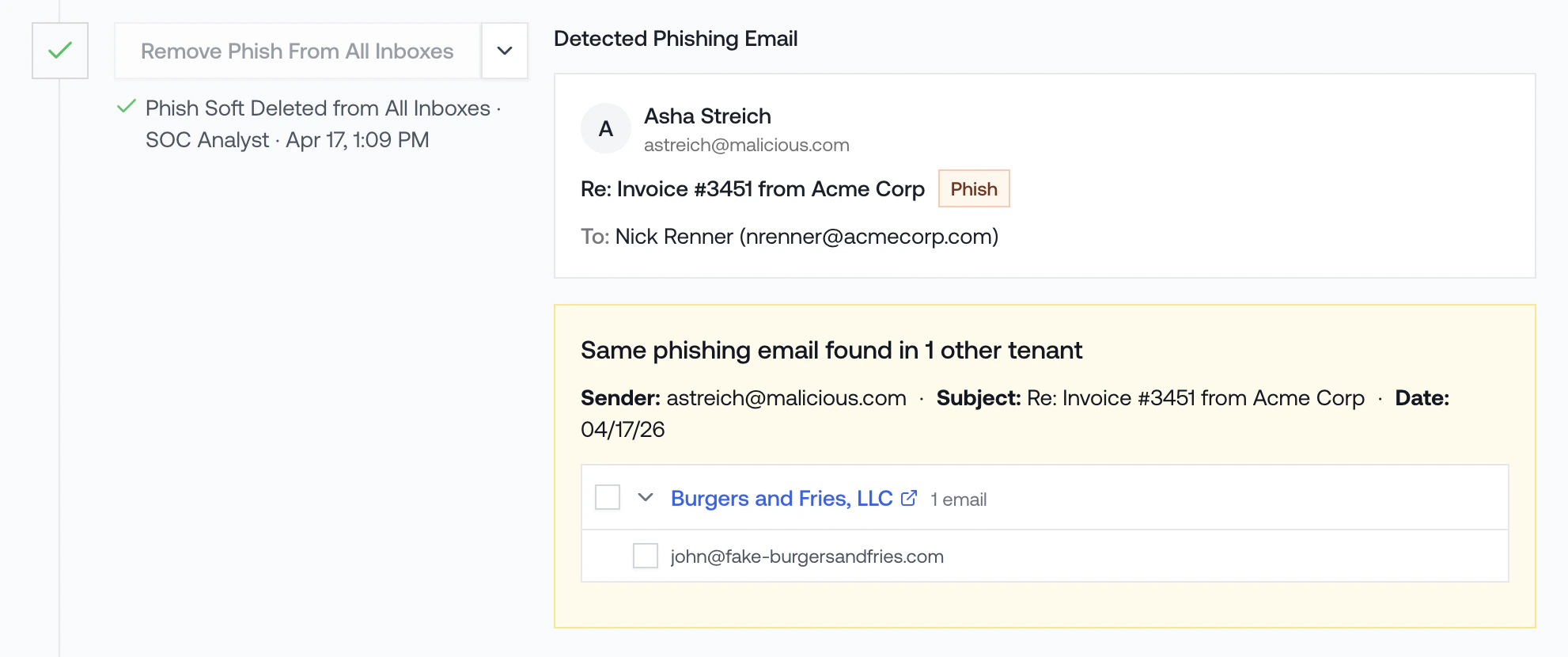
Ad hoc, by subject, not tied to an incident
For emails that are not tied to an incident, search by subject from a tenant’s Admin panel and delete them in bulk.Why didn’t Petra alert on this phish? Petra is an identity threat detection tool, not an email security tool. We only alert when an attacker actually gets into an account. A phish sitting in inboxes that nobody fell for is exactly what email security tools are built to handle. See ITDR vs. Email Security for the full picture.
- From the Homepage, click any tenant to open the tenant page.
- Scroll to the Admin panel and select the Emails tab.
- Click Cross-Tenant Phish Removal in the top right of the panel.
- In the modal, search by subject and confirm the removal. Petra will sweep every tenant you manage.
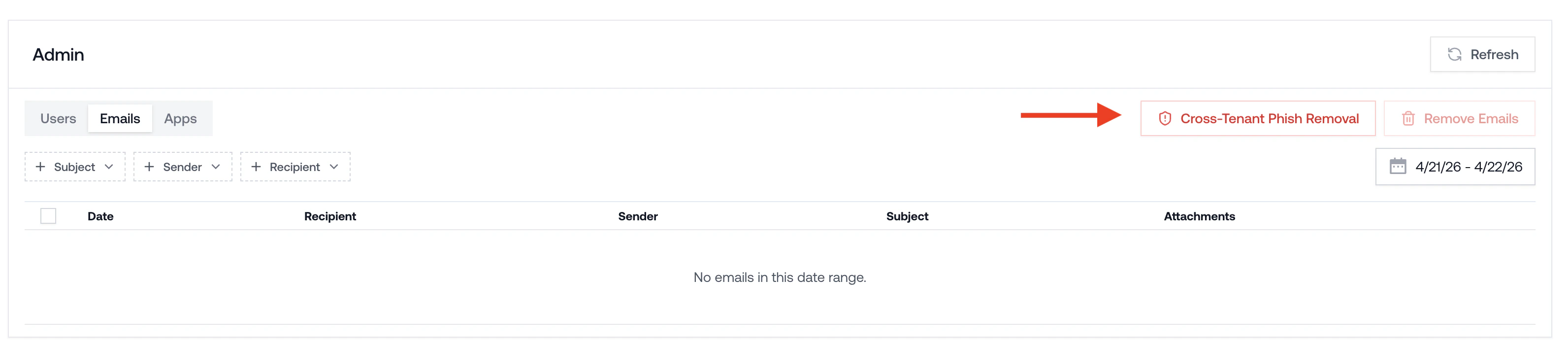
The Cross-Tenant Phish Removal button is only visible to Admins. If you don’t see it, ask an Admin on your team to run the removal, or update your role in Member Roles and Permissions.